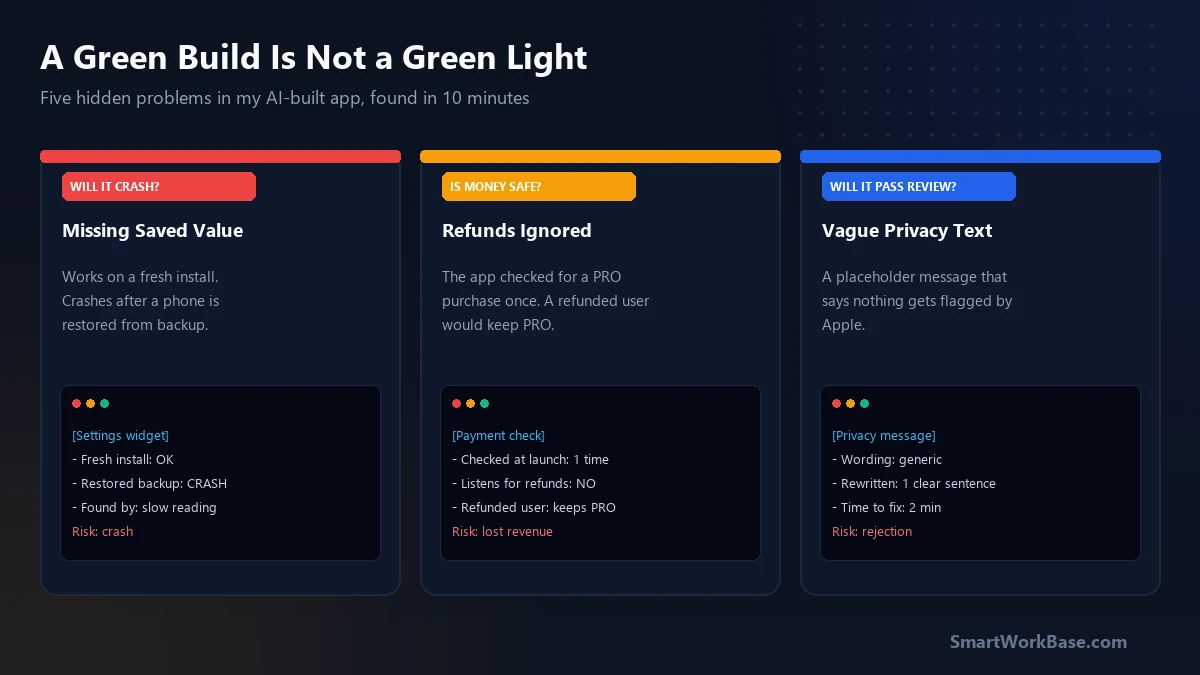
Before you upload an AI-built app, spend ten minutes asking the AI to hunt for risks instead of fixing things. A clean build only proves the code is written correctly. It says nothing about whether the app is safe to ship.
My own build passed with zero warnings. It still had five problems.
A green build is not a green light
A build check answers one question: does the code follow the rules of the language? It does not ask whether the code is a good idea.
AI does what you asked, which is usually “make it work.” Working and ready to ship are two different things. The gap between them is where this review lives.
I treat AI code like a new planner’s first forecast. The math is probably fine. The assumptions are where it breaks.
The five hidden problems
I found all five in about nine minutes of slow reading. None of them showed up when I tested the app.
- A crash waiting for the wrong day. The code assumed a saved setting always exists. On a fresh install it does. After someone restores their phone from a backup, it does not, and the widget crashes.
- A timer that never stopped. Closing the settings screen left a one-second timer running in the background. Open and close it twenty times and you have twenty timers eating battery. This was the same battery problem from Part 2, brought back by a different file.
- A payment bug. The app checked once at launch whether you had paid for PRO. If Apple refunded you, the app would keep PRO switched on until the next restart, because nothing was listening for refunds.
- A clock that only spoke 24-hour time. The time format was hard-coded. Most people in the US set their phones to 12-hour time, so they would have seen the wrong format.
- A privacy message that said nothing. The AI wrote a placeholder: “This app needs access to your data.” Apple’s reviewers flag vague wording like that.
Five issues. No crashes in testing. Two would have reached real users without anyone noticing.
Why AI misses these
The AI only sees the files you point it at. Problem #2 is a good example. The settings screen was one file and the timer code was another. Each looked fine alone.
The bug lived in how the two worked together. Nobody had asked the AI to think about both at once.
I added a short “check how screens start and stop things” prompt. I still don’t fully trust it. It only catches the patterns I already know to look for.
Paste this into your AI tool after the build works. Then check every answer yourself:
Review my project for shipping risks. Do not fix anything yet. List findings only.

1. Find any code that crashes if a saved value is missing. Show file and line.
2. Find every timer and background task. Does each one stop when it should?
3. Check payments: does the app notice when a purchase is refunded?
4. List every hard-coded date, time, or currency format.
5. Print every privacy message shown to the user and rate each as specific or vague.

For each finding give: severity (crash / rejection / cosmetic), file, one-line reason.
What each problem would have cost
| Problem | What it would cost | Time to fix |
|---|---|---|
| Missing-value crash | Silent crashes, bad reviews | 4 min |
| Timer that never stops | Battery drain, app killed by iOS | 6 min |
| Ignored refunds | Free PRO after a refund | 12 min |
| Fixed time format | Wrong display for 12-hour users | 3 min |
| Vague privacy text | App Store rejection | 2 min |
Total repair time: 27 minutes. The cost of finding them after launch is unknown, and I’d rather not find out.
How I’d review it if you’re not a developer
Don’t read all of the code. You will get tired and skim. Review by risk instead, the way you would audit a supplier.
Ask one question per risk: crash, money, battery, region, App Review. That is the whole list.
Then keep a log of every mistake the AI makes. Mine has twelve entries now, and the same patterns keep coming back.
I skipped the log for my first two builds. That is the expensive version of the lesson.
Frequently Asked Questions
Can I ask the AI to review its own code?
Yes, but treat the answer as a lead, not a verdict. The AI tends to defend its earlier choices. Asking for findings only, with a file and line for each, keeps it honest enough to be useful. Always open the lines it points to.
Do I need to know how to code to run this review?
Not deeply. You need to read a finding and judge whether the stated cost matters for your product. If a finding is unclear, ask the AI to explain it in plain words. If you still can’t tell, treat it as a real risk.
How often should I run the review?
Before every App Store upload, and after any change that touches payments, timers, or background work. Those three areas produced all five of my findings. Small text edits don’t need it.