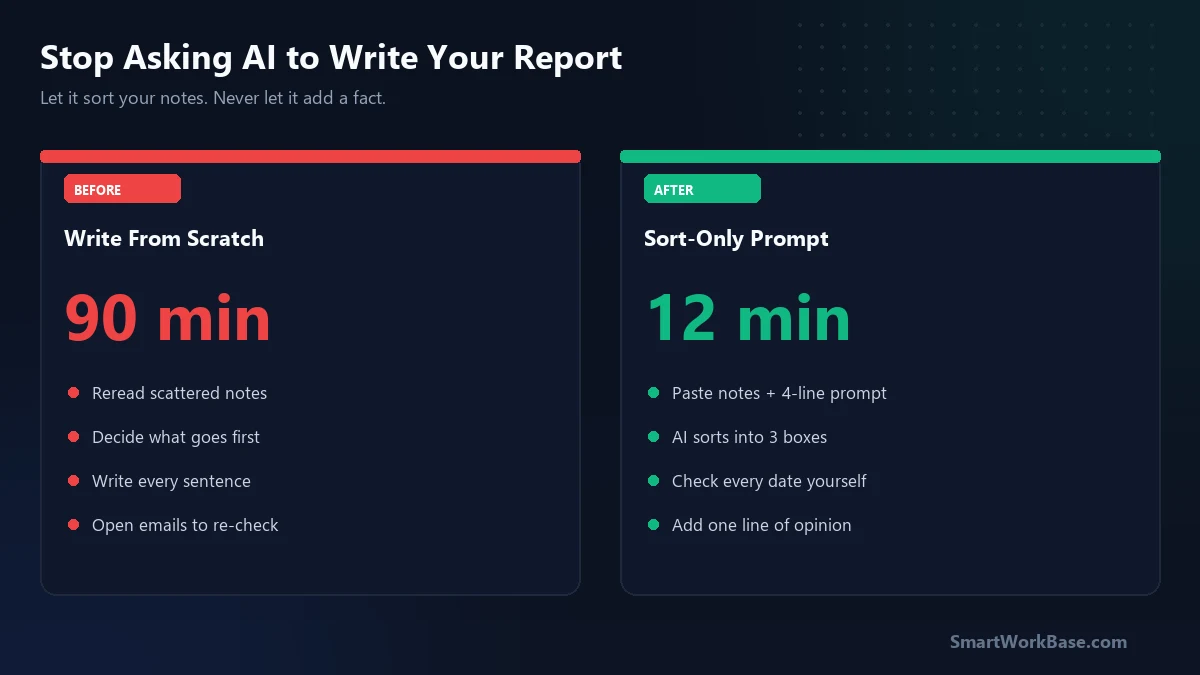
You can cut a weekly status report from 90 minutes to about 12 with AI. But only if you stop asking it to “write the report.”
Ask it to write, and it will invent. Ask it to sort your notes into a fixed shape, and it behaves.
That one change is the whole post. The rest is how I got there, and where it still bites me.
Why the Friday report took so long
I run supply chain planning. Every week, my manager wants one page: what shipped, what is late, what needs a decision.
The facts were never the problem. I had them in my notes all week. The slow part was turning scattered notes into clean sentences, then deciding what to put first.
Honestly, most of the 90 minutes was staring. I would reread a note about a delayed container, forget why it mattered, and open three emails to check.
My first attempt went wrong
The first time, I pasted my notes into a chatbot and typed: “Write my weekly status report.”
The result looked great. Smooth, confident, well organized. It also said a supplier had “confirmed” a delivery date that I had only asked about.
I caught it because I was reading slowly that day. If I had been in a hurry, my manager would have repeated that date to a customer.
That was the end of “write my report.”
The rule that fixed it
I changed the job I gave the AI. It no longer writes anything new. It only sorts what I already wrote.
Three limits make this work. The AI can reorder my notes. It can shorten them. It must mark anything it cannot place instead of guessing.
Think of it like a mailroom clerk. The clerk puts each letter in the right box, but never writes a letter.
Paste this first, then paste your raw notes underneath it:
Sort my notes below into three headings: SHIPPED, LATE, NEEDS A DECISION.
Use only facts that appear in my notes. Do not add dates, names, or reasons.
Keep each item to one short sentence.
If a note does not fit a heading, put it under UNSURE and say why.

NOTES:
[paste your notes here]
What the 12 minutes look like
The AI returns the three lists in about ten seconds. Then I do the part only I can do.
- Check every date and number against my original note. This takes about five minutes.
- Read the UNSURE list. Usually two or three items. I decide where each one goes.
- Add one sentence of my own at the top: the single thing my manager should care about most.
That last step matters. A report with no opinion is just a list. The AI can’t tell which late shipment is the scary one. I can.
Before and after
| Step | Old way | Sort-only way |
|---|---|---|
| Organizing notes | ~40 min | 10 sec |
| Writing sentences | ~35 min | Mostly skipped |
| Checking facts | ~15 min | ~8 min |
| Total | ~90 min | ~12 min |
These are my own rough times over about six weeks. Your notes will be messier or cleaner than mine, so expect your numbers to differ.
Where it still fails
It struggles when my notes are too short. A note like “Dock 4 issue” tells the AI nothing, so it files the item under the wrong heading.
It also drops items now and then. Twice in six weeks, a note vanished from the output without a word.
So I count my notes before and after. If I pasted 14 items and got back 13, I go hunting. I still forget to count sometimes. That is the expensive version of the lesson.
Frequently Asked Questions
Is it safe to paste work notes into an AI chatbot?
That depends on your company’s policy and the tool’s data settings. Before pasting, remove customer names, prices, and anything marked confidential. If your employer has an approved AI tool, use that one instead of a personal account.
Does this work for reports other than weekly status?
Yes, for any report built from notes you already have. Change the three headings to fit, such as “Done, Blocked, Next” for a project update. It works less well when the report needs analysis you have not done yet.
Why not let the AI write the full report?
Because a smooth sentence looks true whether or not it is. When the AI only sorts, every line traces back to something you wrote, so checking takes minutes instead of an hour.