Three weeks ago I published a post here and a reader left a comment that just said: “this reads like it was translated.” I sat with that for a minute before I closed the laptop, because they weren’t wrong. It was translated — just not by a program. By me, in my head, from Korean to English, sentence by sentence, the way I’ve been doing it for years.
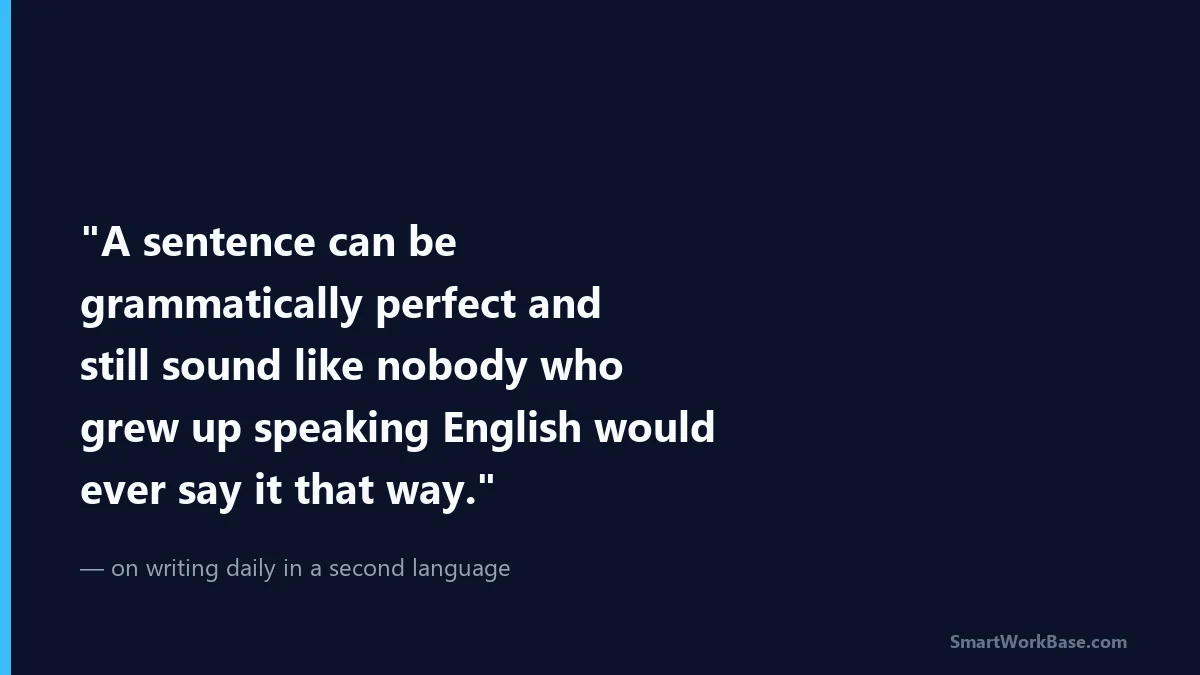
I’ve been running this site publishing almost daily, in a language that isn’t mine, and somewhere around post twelve or thirteen I got curious whether any of the “AI writing tools” I kept seeing ads for actually solve the problem I have — which isn’t typos. Spell-check has never been my issue. My issue is that a sentence can be grammatically perfect and still sound like nobody who grew up speaking English would ever say it that way.
So I spent about three weeks actually using four of them on real drafts, not test paragraphs. Here’s what I found, including the parts that didn’t work.
The problem I was actually trying to solve
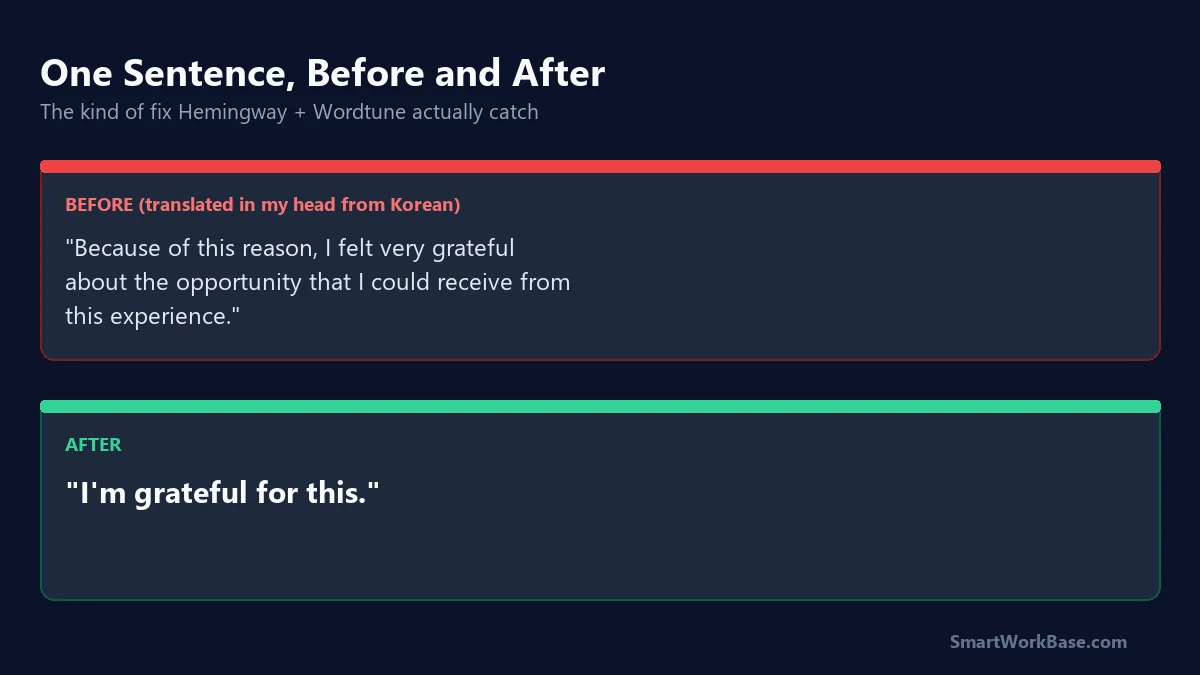
Grammarly catches “he go to store” — great, everyone catches that. What it doesn’t catch is when I write something like “I felt very happy about the result” in a spot where a native writer would just say “I was thrilled” or, more likely, wouldn’t say anything that formal at all. That gap — between “correct” and “natural” — is the one that actually matters once your grammar is already decent. Nobody tells you this gap exists until you’ve been writing in English long enough to notice people quietly not saying things the way you say them.
None of the marketing pages for these tools use the word “translated-sounding.” They all talk about “clarity” and “tone.” So I had to figure out on my own which of them were actually attacking my specific problem versus just doing spell-check with better branding.
What I tried
Grammarly — the one everyone already has an opinion about. It’s good at what it’s always been good at: subject-verb agreement, comma splices, passive voice flags. The tone suggestions are hit or miss; half the time it told me a sentence sounded “unclear” when it was clear, just not the way an American blog post would phrase it. It didn’t fix my actual problem, but it did stop me from shipping a few genuinely broken sentences, which is not nothing.
Wordtune — this one surprised me. Instead of just flagging what’s wrong, it rewrites the sentence three or four different ways and lets you pick. The first time I used it on a paragraph I was proud of, two of the four rewrites were better than what I’d written, and I hated that a little. But it worked. The catch: it’s slow going if you run every paragraph through it, and some of the rewrites strip out the slightly awkward phrasing that was, honestly, part of my voice. I had to learn to reject its suggestions on purpose sometimes.
QuillBot — mostly a paraphrasing tool, and I used it less than I expected to. It’s genuinely useful when I’m stuck rereading my own sentence so many times I can’t tell if it’s good or terrible anymore — running it through QuillBot and reading the alternative snaps me out of that loop. I wouldn’t pay for it just for that, though.
Hemingway Editor — no AI rewriting here, just readability scoring, and it ended up being the one I open every single day. It doesn’t fix “sounds translated.” What it does is ruthlessly flag when I’ve written a 40-word sentence because I was translating a Korean sentence structure that just doesn’t compress into English the same way. Once I see the sentence highlighted in red, I already know what’s wrong with it. I just needed something to point at it.
| Tool | Best for | Didn’t help with | Free tier usable? |
|---|---|---|---|
| Grammarly | Catching real grammar errors | Making sentences sound natural, not just correct | Yes, for basic checks |
| Wordtune | Rewriting awkward sentences into natural ones | Preserving your original voice if overused | Limited rewrites/day, but usable |
| QuillBot | Getting unstuck when you can’t judge your own sentence anymore | Deep grammar or structural issues | Yes |
| Hemingway Editor | Spotting translated-feeling run-on sentences | Actually rewriting anything for you | Yes, fully free (web version) |
What I actually use now
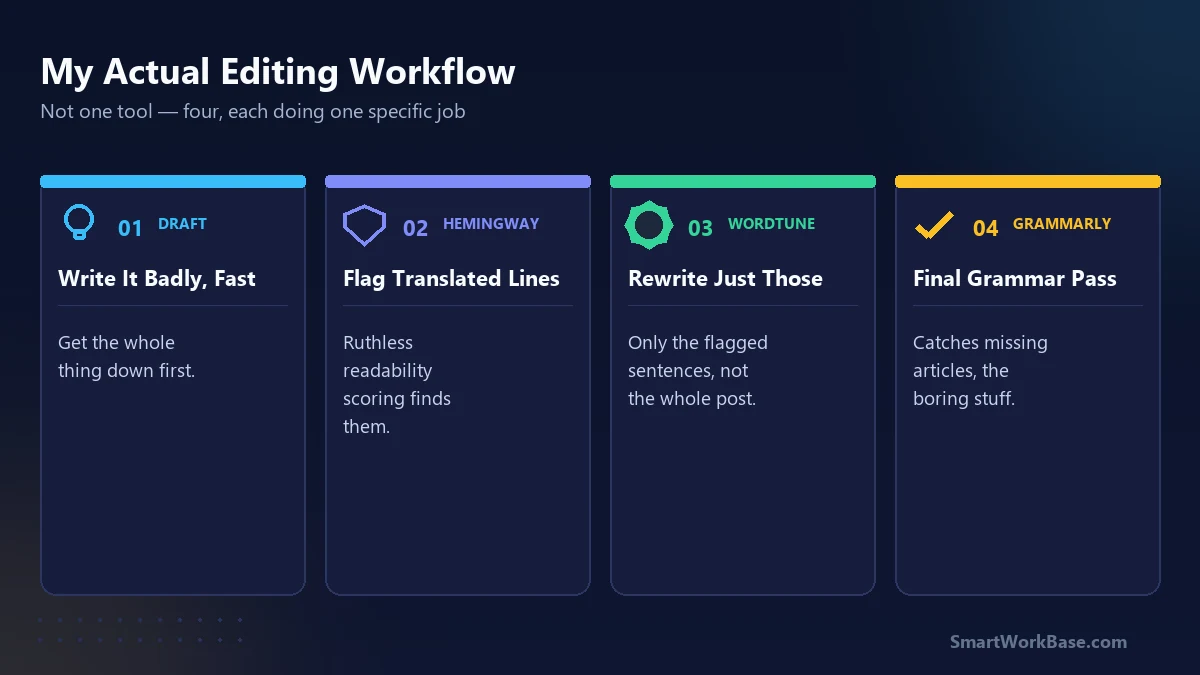
Honestly? I didn’t land on one winner, and I’m a little suspicious of any post that tells you it found The One Tool. My actual workflow is: write the draft badly and fast, run it through Hemingway to catch the sentences I clearly translated in my head, run those specific sentences — not the whole post — through Wordtune for alternatives, and let Grammarly do a last pass for the boring stuff like missing articles (“a,” “the” — still my personal nemesis).
QuillBot sits in a browser tab I open maybe twice a week, when I’m stuck.
None of this made my writing sound like it came from someone born in Ohio, and I don’t think that’s actually the goal anymore. A reader on Threads told me last week that they liked that my posts “don’t sound like everyone else’s AI listicles” — which, considering the whole point of this exercise was to sound less like a translation, was a strange compliment to get. But I’ll take it.
If you’re writing in a second language and someone’s told you your writing sounds “off” but they can’t explain how — start with Hemingway. It won’t fix it for you, but it’ll show you exactly where to look, and that’s most of the battle.
(If you’re wondering how one non-native writer publishes this often in the first place — I wrote about the repurposing pipeline that makes it sustainable here.)