🔄 Last updated: August 23, 2026
⚡ Key Takeaways
Creating compelling pitch decks and business presentations used to require hours of tedious alignment and formatting. In this head-to-head review of Gamma AI vs Beautiful.ai, we evaluate which AI presentation maker offers the best speed, design quality, and customization in 2026.
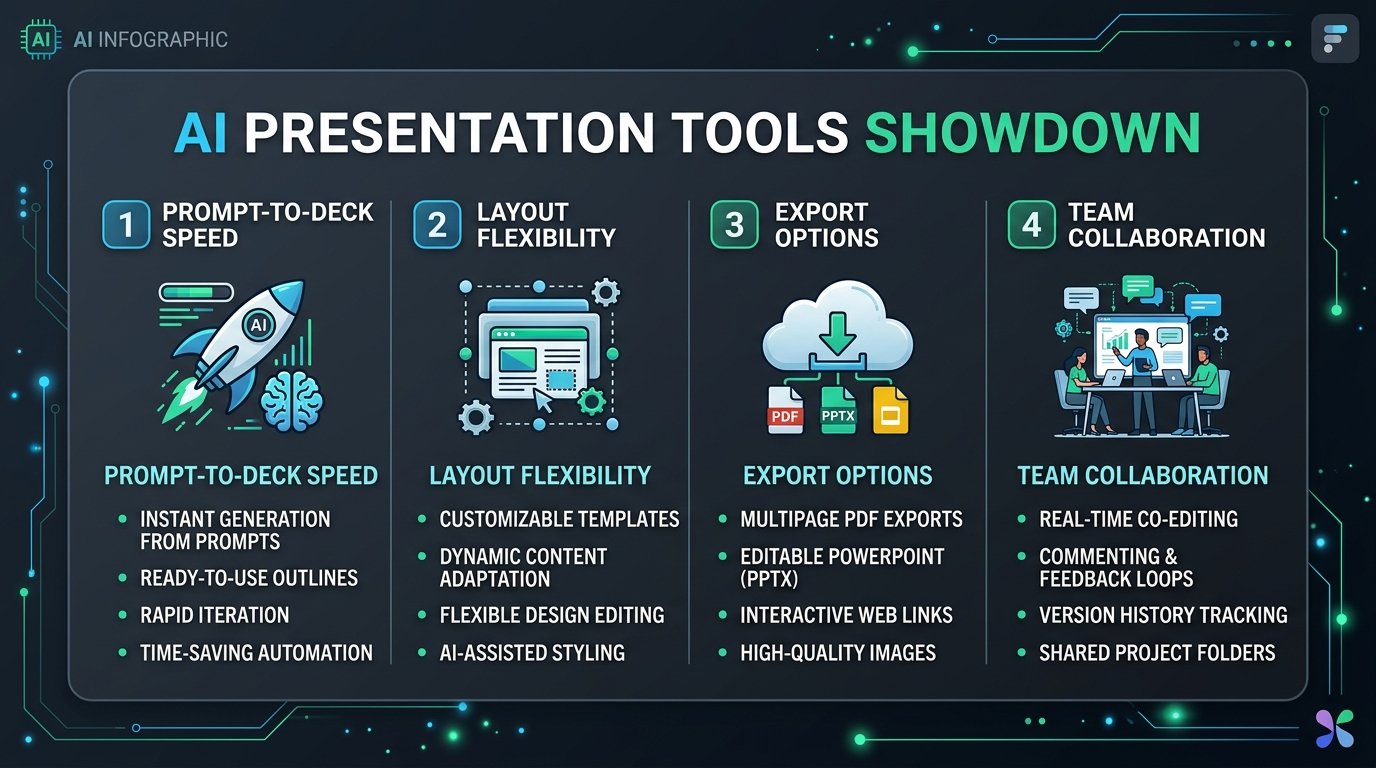
Figure 1: Benchmark evaluation metrics for modern AI slide deck generators.
Gamma AI vs Beautiful.ai: Deep Dive Comparison
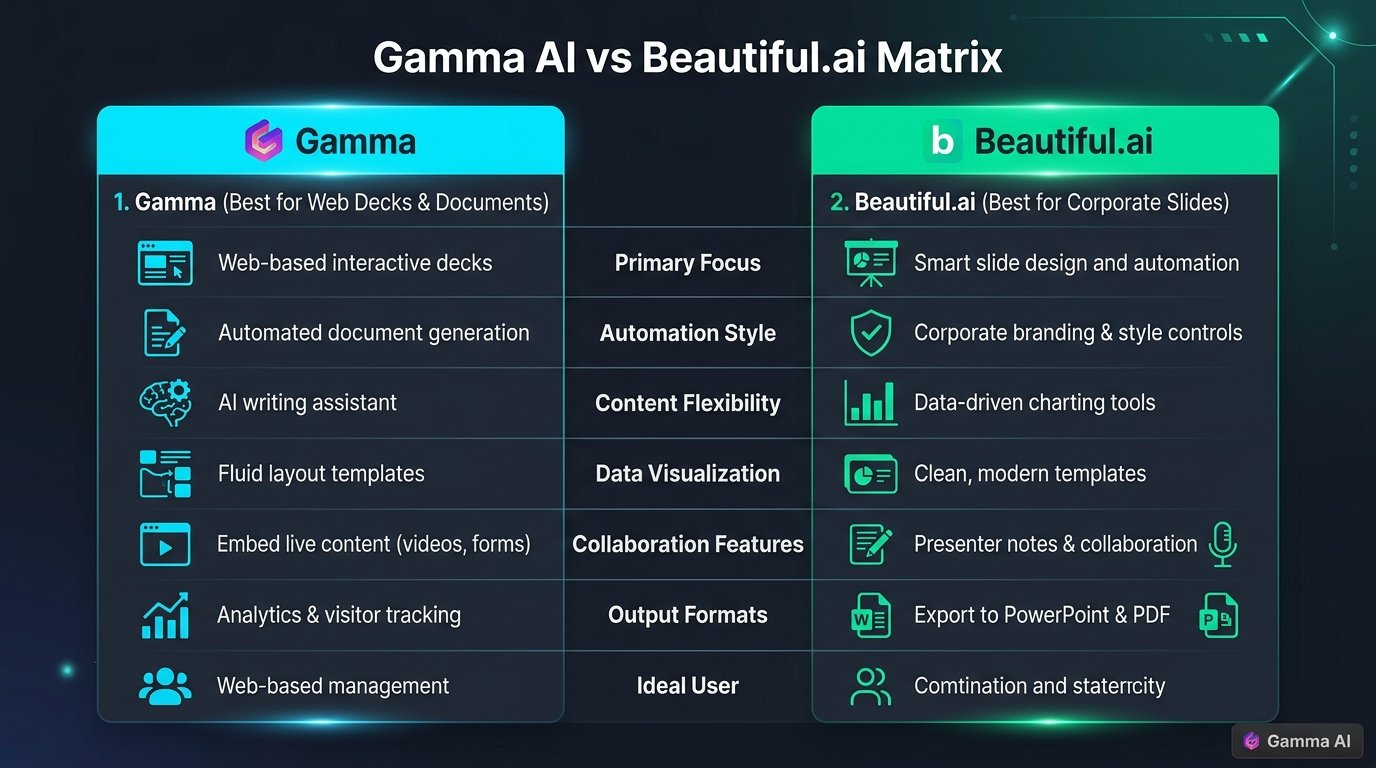
Figure 2: Feature matrix comparing Gamma App and Beautiful.ai.
| Feature | Gamma AI | Beautiful.ai |
|---|---|---|
| Primary Format | Interactive Decks & Web Pages | Traditional 16:9 Slides |
| Design Guardrails | Flexible & Card-Based | Strict Auto-Formatting |
| Export Capabilities | PDF, PPTX, Web Link | PPTX, Google Slides, PDF |
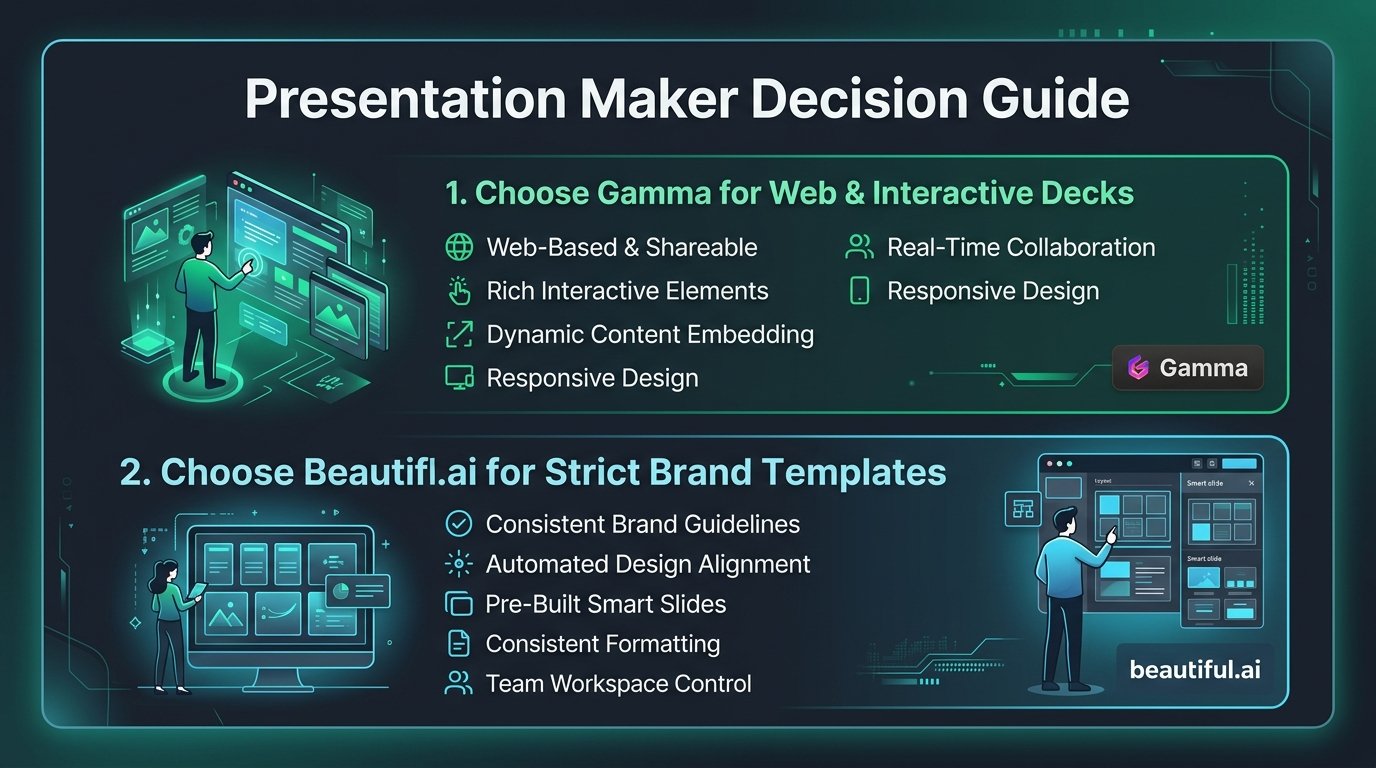
Figure 3: Decision flowchart for selecting the right AI presentation software.
💡 Pro-Tip: Enhancing Decks with AI Visual Assets
Want to include custom visual diagrams inside your slides? Check out our step-by-step guide on How to Create Viral Infographics with AI for maximum audience engagement.
Interactive Prompt Template: 10-Slide Pitch Deck Storyboard Prompt Generator
Product Name: [NAME]
Target Market: [TARGET AUDIENCE]
Core Superpower: [UNIQUE SELLING PROPOSITION]
For each slide (1-10), provide: Slide Title, Hero Statistic / Metric, Visual Layout Description (Cards/Split Screen), and 2-sentence slide body copy ready to paste into Gamma AI.
💡 Click “Copy Prompt” and paste directly into your favorite AI tool.
🛠️ Click to Expand: 5-Minute AI Slide Deck Production Checklist
✅ Step 1: Select Gamma AI for interactive web-based decks vs Beautiful.ai for strict corporate brand guardrails.
✅ Step 2: Input your raw bullet points into the AI prompt generator rather than starting from blank slides.
✅ Step 3: Standardize custom hex color codes to match your brand palette across all cards.
✅ Step 4: Replace plain bullet lists with 3-column feature cards and metric callouts.
✅ Step 5: Export to PDF / interactive link and test responsive scaling on mobile screens.
Related Guides & Further Reading
How to Create Viral Infographics with AI in 5 Minutes
Enhance your presentation decks with custom-generated AI infographics and high-converting visual assets.