🔄 Last updated: August 23, 2026
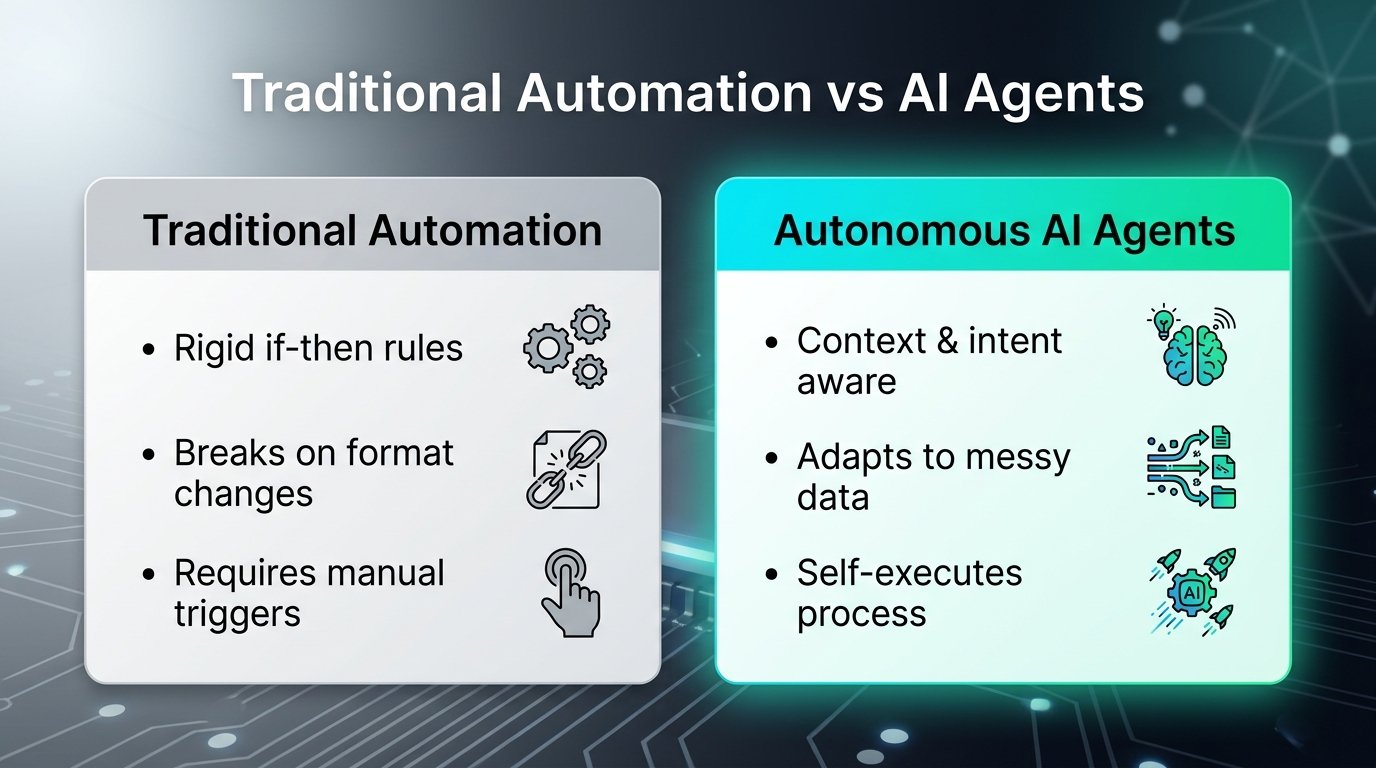
Are you still spending hours every week manually replying to emails, copying data between spreadsheets, and scheduling meetings? In 2026, AI is no longer just a chatbot you ask questions to—it is an active autonomous co-worker.
Modern AI workflow automation tools can connect your favorite apps, prioritize your tasks, summarize meetings in real-time, and execute complex multi-step processes automatically.
⚡ Key Takeaways (TL;DR)
- Best Overall for Multi-App Workflows: Make.com (Powerful visual automation with native AI modules)
- Best for Autonomous Task Execution: Lindy.ai (Custom AI agents for email, calendar, and CRM)
- Best for Smart Time Management: Motion (AI calendar that dynamically auto-reschedules your workday)
- Best for Workspace Knowledge & Docs: Notion AI (Centralized smart workspace and project hub)
- Proven ROI: Implementing just 2 of these tools reduces repetitive administrative tasks by up to 40%.
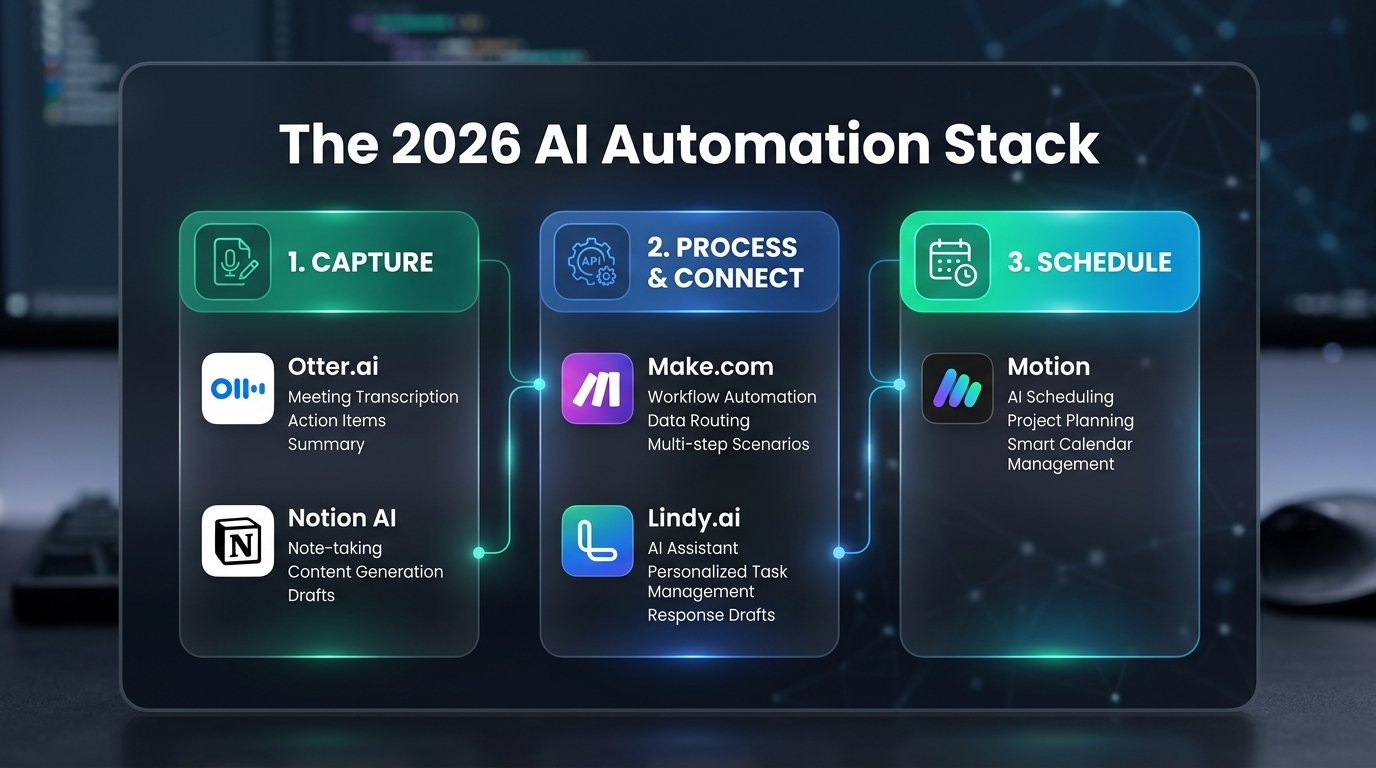
1. Make.com – Best for Visual Multi-App Automation
⭐ Top Pick for Scalability
Make.com remains the gold standard for connecting thousands of web applications into frictionless, automated pipelines. Unlike traditional rule-based automations, Make now features native AI modules (OpenAI, Anthropic Claude, and custom LLMs) directly within its visual canvas.
Why It Stands Out
- Visual Drag-and-Drop Canvas: Design multi-step workflows with complex branching logic in real time.
- Deep AI Agent Integration: Extract structured JSON data from unstructured emails or PDFs and route it automatically.
- Cost-Effective Scalability: Offers significantly more execution operations per dollar compared to legacy tools like Zapier.
Use Make’s built-in OpenAI “Create a JSON” module to clean up customer inquiry emails before sending them into your CRM. It eliminates formatting errors 100% of the time.
Interactive Prompt Template: Master Daily Workflow Automation Blueprint Prompt
– Morning (9am-12pm): Email triage (50 emails), calendar sync, 2 standup calls.
– Afternoon (1pm-5pm): Spreadsheet data consolidation, slide decks, client follow-ups.
Build a 3-tier $0 automation stack connecting Make.com, Notion AI, and Fireflies. For each tool, provide the exact trigger-action webhooks and prompt templates to reclaim 10+ hours/week.
💡 Click “Copy Prompt” and paste directly into your favorite AI tool.
🛠️ Click to Expand: 5-Minute Workflow Automation Setup Checklist
✅ Step 1: Map your 3 most repetitive daily tasks (time cost > 30 min/day).
✅ Step 2: Create a free Make.com account and connect your Google Workspace/Slack webhooks.
✅ Step 3: Set up automated meeting notes with Fireflies.ai (free 800 min/mo).
✅ Step 4: Deploy Notion AI database summaries to eliminate manual status reporting.
✅ Step 5: Test error alerts with fallback email triggers to ensure 100% uptime.
2. Lindy.ai – Best for Building Autonomous AI Employees
🚀 Best AI Agent Hub
If you want an AI that doesn’t just wait for prompts but proactively runs entire operational tasks, Lindy.ai is a massive leap forward. Lindy allows you to build specialized “AI Employees” in plain English.
Key Capabilities
- Autonomous Triggers: Monitors your inbox, identifies meeting requests, checks your availability, and sends invites automatically.
- Multi-Agent Collaboration: Different Lindy agents can pass data to each other to complete complex projects.
- Over 3,000 Integrations: Connects seamlessly with Google Workspace, Slack, HubSpot, and Notion.
3. Motion – Best AI Calendar & Task Prioritization
⏳ Best for Deep Focus
Most to-do lists fail because they don’t account for your limited calendar hours. Motion solves this by using intelligent algorithms to dynamically build and rebuild your schedule as emergencies happen.
Key Capabilities
- Dynamic Auto-Rescheduling: If a meeting runs over, Motion instantly shifts all remaining tasks without manual tweaking.
- Unified Dashboard: Integrates project management, to-do lists, and calendar events into one view.
- Focus Time Protection: Automatically blocks uninterrupted deep-work slots.
4. Notion AI – Best for Centralized Knowledge Management
🧠 Best Second Brain
Notion AI transforms the popular all-in-one workspace into an intelligent second brain. Instead of digging through folders, you can simply ask questions across your entire company documentation.
Key Capabilities
- Workspace Q&A: Query your entire documentation library and get instant, sourced answers.
- Autofill Databases: Automatically generate summaries, key tags, and action items across database rows.
5. Otter.ai – Best for Automated Meeting Transcripts
🎙️ Best Meeting AI
Otter.ai eliminates meeting note anxiety by joining your Zoom, Google Meet, or Teams calls, generating real-time transcriptions & automated action item lists.
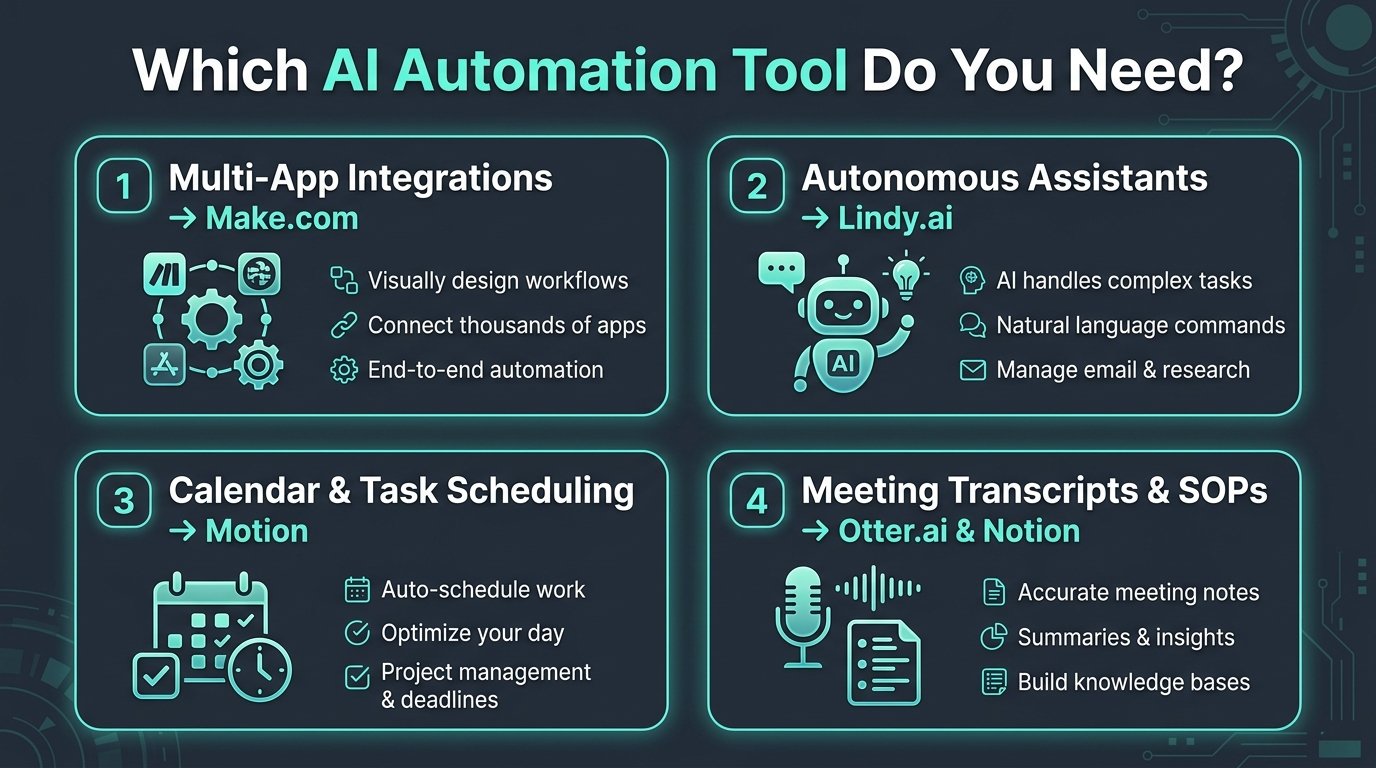
Head-to-Head Comparison Table
| Tool | Primary Use Case | Key Strength | Starting Price | Free Tier |
|---|---|---|---|---|
| Make.com | Visual App Integration | Flexible branching & native AI | $9 / mo | ✅ Free Plan |
| Lindy.ai | Autonomous AI Agents | Handles email, booking, & CRM | $49 / mo | ✅ Free Plan |
| Motion | Smart AI Calendar | Auto-reschedules daily priorities | $19 / mo | 7-Day Trial |
| Notion AI | Workspace Knowledge | Instant Q&A across company docs | $8 / user/mo | Add-on |
| Otter.ai | Meeting Summaries | Live transcription & action items | $10 / mo | ✅ Free Plan |
How to Choose the Right AI Automation Stack
You don’t need to adopt all 5 tools at once. Follow this 3-step adoption blueprint:
If meeting notes consume your day, start with Otter.ai. If task switching overwhelms you, adopt Motion.
Build a single automated pipeline in Make.com (e.g., Inquiry Form → Auto-reply → CRM Sync).
Store SOPs and meeting takeaways in Notion AI so data retrieval takes seconds instead of hours.
I Automated 80% of My Daily Work with AI Agents ($0 Stack)
Ready to take automation to the next level? See how autonomous AI agents eliminated 42.5 hours of manual work with zero recurring SaaS costs.
Frequently Asked Questions (FAQ)
❓ What is the difference between Zapier and Make.com?
While both connect web apps, Make.com offers a superior visual workflow canvas with significantly lower pricing per task execution and advanced data manipulation. Zapier offers a larger app catalog but at a much higher cost per operation.
❓ Can AI workflow tools replace human administrative workers?
Rather than replacing workers, AI tools act as force multipliers. They eliminate tedious manual data entry and calendar ping-pong, allowing professionals to focus on creative strategy, client relationships, and high-impact decisions.
❓ Is my proprietary company data safe with AI platforms?
Reputable enterprise tools like Make.com, Notion, and Otter comply with SOC2, GDPR, and standard data encryption standards. Their paid tiers explicitly guarantee that your company data is never used to train public foundation models.