Here is the hard truth up front: an automated AI transcript will give your team a dangerous, false sense of alignment. In our earlier guide to the best AI meeting notetakers, I praised how tools like Fireflies, Otter, and Fathom eliminate tedious typing. But after six months of using them across high-stakes manufacturing and vendor calls, I realized that while AI captures everything said, it consistently misses what was actually decided.
Language models treat human dialogue as flat text tokens. In real workplace meetings, however, the most critical operational signals are non-verbal: a long hesitation before agreeing, an off-hand budget warning, or an unspoken assumption about who is on the hook. Here is why AI summaries miss those signals, and the exact protocol I use to prevent costly project derailments.
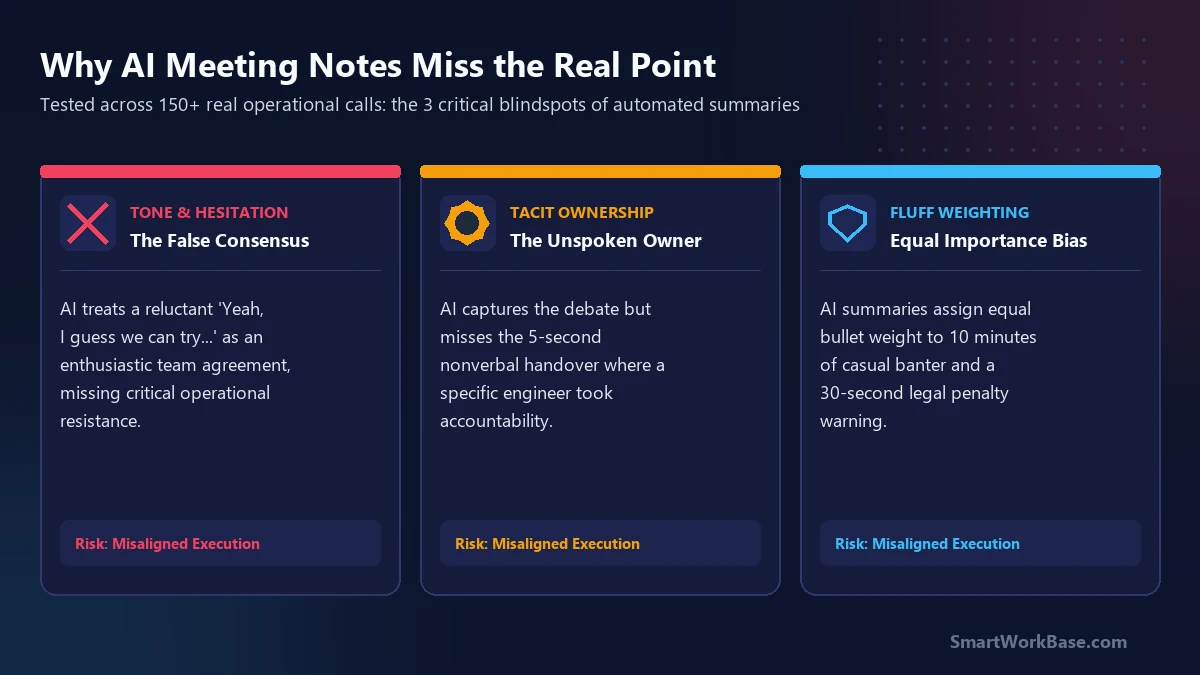
The 3 dangerous blindspots of AI meeting summaries
Across 150+ operational calls in my supply chain operations role, I documented three recurring failure modes where AI-generated summaries led to major miscommunications:
1. The False Consensus Trap (Tone Blindness)
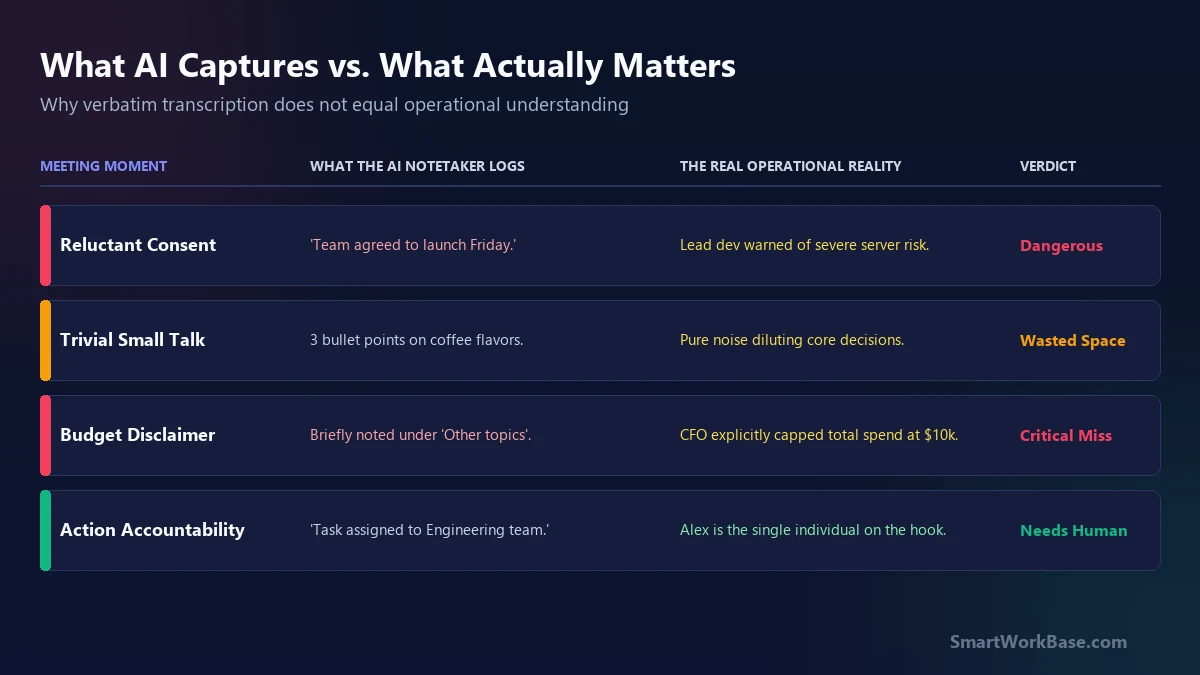
When a project lead asks, “Can we launch this ERP migration by Friday?” and the lead database engineer sighs and says, “Yeah, I guess we can try…”, an AI notetaker logs this bullet point:
- “Engineering team agreed to Friday deployment deadline.”
The AI heard the word “Yeah” and registered explicit consent. It completely missed the 4-second hesitation and the skeptical cadence that signaled severe infrastructure risk. Two days later, leadership was blindsided when the server crashed.
2. The Unspoken Ownership Void
During a 45-minute sprint meeting, four people discuss an ambiguous customer escalation. The conversation wanders, someone shares a screen, and Sarah gives a subtle nod indicating she will handle the vendor follow-up.
Because nobody explicitly chanted the phrase “Sarah is assigned ticket #402,” the AI summary notes: “Team discussed customer escalation; next steps pending.” When nobody takes action on Monday, everyone points to the AI notes claiming the task had no owner.
3. Equal Weighting of Banter vs. Dealbreakers
LLM summarizers optimize for general text coverage. In a 30-minute call, 8 minutes might be spent discussing weekend travel, while 20 seconds are spent where the CFO casually mutters: “By the way, all purchase orders above $10,000 need my signature this quarter.”
The generated AI summary often gives 3 bullet points to the weekend banter and buries the $10,000 spending cap inside a nested miscellaneous sub-bullet.
“Based on the attached raw meeting transcript, extract ONLY: 1) Any explicit dissent, hesitation, or conditional commitments, 2) The single person accountable for each action item (flagging any unassigned tasks), and 3) Any specific budget caps, legal deadlines, or hard constraints mentioned even once.”
The 3-minute post-meeting protocol I use now
I have not stopped using AI meeting notetakers. Having a full audio transcript and timestamped speaker log is an invaluable reference index. However, I completely stopped forwarding raw AI summaries to my team. Instead, I follow this 3-step guardrail:
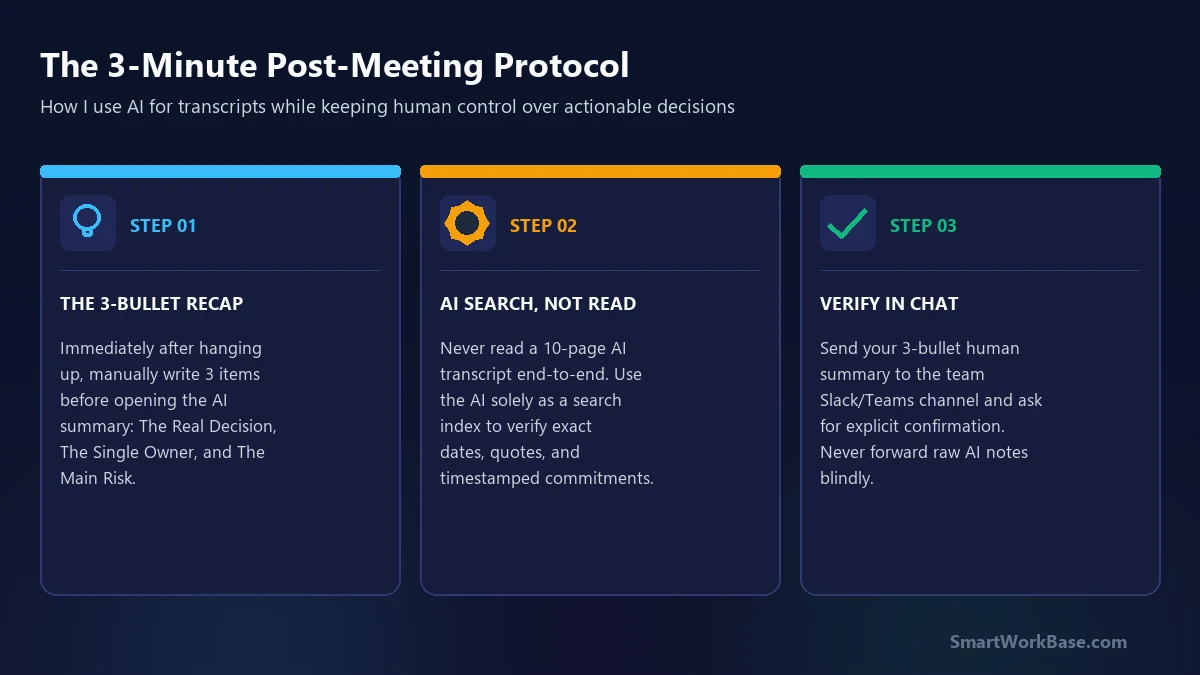
Step 1: The 3-Bullet Manual Recap (60 Seconds)
The moment the call ends, before opening the AI summary email, I open Slack or email and type exactly three bullet points from memory:
- The Core Decision: What was actually agreed on (and what was explicitly postponed).
- The Single Owner: The exact name on the hook for the primary deliverable.
- The Key Risk: The main hesitation or bottleneck raised during the call.
Step 2: AI as a Search Engine, Not an Author
I treat tools like Fireflies or Otter like a searchable database. If I need to verify an exact part number, a supplier’s quote, or a delivery date mentioned at minute 24, I search the transcript. I never ask the AI to decide what was important.
Step 3: Explicit Team Confirmation
As documented in our 14-day AI time tracking audit, blind trust in automated output adds friction rather than removing it. I post my 3-bullet recap directly into the shared channel: “Here is our agreed direction—please reply with a thumbs-up if this reflects our alignment.”
The bottom line for operations leaders
AI meeting assistants are fantastic recording secretaries, but terrible project managers. They can capture the syntax of a meeting, but never its political context, emotional temperature, or subtle commitments.
Use AI to record the room, but use your own judgment to steer the work. For more practical frameworks on deploying AI without adding operational risk, check out our Which AI Tool Should I Use? task finder or explore tested workflows in our Free AI Prompt Cheat Sheet.
Frequently Asked Questions (FAQ)
Should I stop using AI meeting notetakers entirely?
Can custom prompting fix these blindspots in tools like Fireflies or Otter?
What is the best way to handle meeting action items with AI?
Stop Typing Meeting Notes. These 5 AI Tools Do It Better in Real Time (2026) →
5 AI meeting transcription tools tested across 42 real calls: free tiers, pricing models, and accuracy.