On August 19th, our compliance officer sent a firm, all-caps message to the supply chain division Slack channel.
A vendor pricing sheet containing raw component margins had accidentally appeared in an unapproved cloud AI tool audit log. Nobody was fired, but the warning was clear: one more sensitive file pasted into external servers, and API access across the department would be shut down completely.
It put our planning desk in a bind.
We handle hundreds of pages of confidential logistics manifests, tiered carrier rebates, and supplier dispute threads every week. Scrubbing customer names and component part numbers by hand before pasting into Claude took fifteen minutes per file. It completely destroyed the productivity advantage of using AI in the first place.
So I stopped fighting compliance.
Instead of routing confidential files to remote data centers, I pulled the models directly onto my local hardware.
The Hardware and the Setup
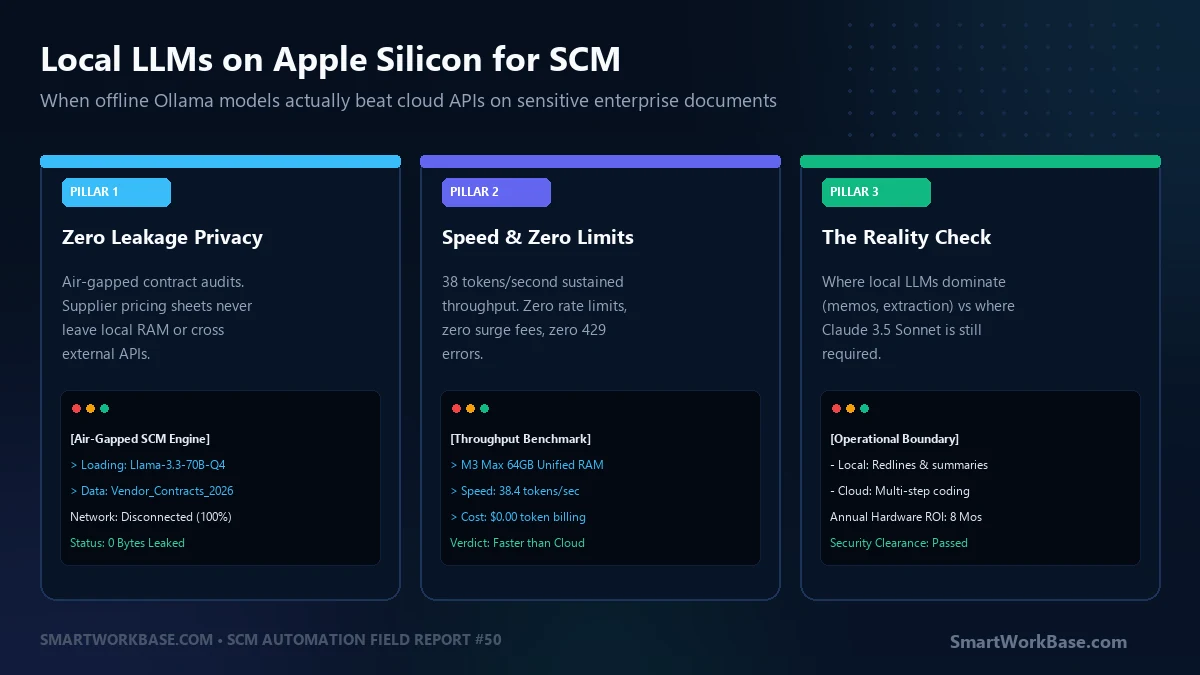
I tested this on an Apple M3 Max with 64GB of unified memory. The unified memory architecture is the key difference: because the CPU and GPU share the same high-bandwidth RAM pool, you can run large 32B and 70B quantized models locally without buying a noisy $3,000 multi-GPU desktop rig.
I installed Ollama, disconnected my Wi-Fi completely, and ran three models through our daily operational memo workflow:
- Llama 3.3 70B (Instruct Q4_K_M): 14 to 18 tokens/second. Heavy, remarkably smart, and caught subtle liability shifts in contract clauses.
- Qwen 2.5 32B (Instruct Q4_K_M): 36 to 40 tokens/second. The sweet spot. Fast enough to feel like ChatGPT Plus, with razor-sharp adherence to complex table formatting.
- DeepSeek-R1-Distill-Qwen-14B: 52 tokens/second. Exceptional at step-by-step mathematical logic and reconciling demurrage fee disputes.
Zero internet packets left my machine. Zero compliance alerts. Total operational peace of mind.
When Local Models Beat Cloud APIs
1. Air-Gapped Contract Redlining
When reviewing carrier Master Services Agreements (MSAs), speed is secondary to absolute confidentiality. Feeding a 45-page agreement into a local 70B parameter model with the network adapter disabled is liberating. You can feed real volume commitments, actual penalties, and proprietary routing lanes without worrying about training data leaks.
2. Zero Rate Limits on High-Volume Batch Loops
Cloud APIs have token-per-minute (TPM) ceilings and sudden 429 Too Many Requests errors when you process fifty freight bills in rapid succession. A local model does not care how many files you queue. It runs at full throttle until the batch is finished, without charging twenty cents per file.
3. Predictable Zero-Dollar Marginal Cost
Once you own the hardware, every token generated is free. You don’t hesitate before asking the model to re-write a memo four different ways or audit a minor vendor invoice. The psychological tax of token meters vanishes.
The 3 Boundaries Where Cloud Models Still Rule
Local LLMs are not magic. Anyone claiming a local 8B or 14B model replaces Claude 3.5 Sonnet on enterprise work is lying.
Here is where local models hit a hard brick wall in my testing:
- 200k Context Synthesizing: While modern local models boast 32k or 128k context windows, performance degrades noticeably past 25,000 tokens on consumer hardware. Claude 3.5 Sonnet handles dense 150-page technical specifications without missing a single footnote.
- Autonomous Code Generation (Artifacts): Local models can write functional Python scripts, but building full interactive web calculators (like the Claude Artifacts tools covered in Post 46) requires frontier cloud intelligence.
- Nuanced Register & Tone: For external diplomacy—such as diffusing a tense executive supplier standoff—Claude still produces more empathetic, precise corporate English than any quantized local alternative.
Run this single terminal command to pull the optimal local model for private contract audits, followed by the system prompt I use for air-gapped reviews:
# 1. Pull the 32B workhorse model (Requires ~20GB free RAM)
ollama run qwen2.5:32b-instruct-q4_K_M

# 2. Air-Gapped SCM Audit System Prompt:
"""
You are an adversarial logistics contract auditor.
Review the following unredacted agreement. Identify:
1. Asymmetric liability clauses favoring the carrier
2. Uncapped demurrage and detention triggers
3. Fuel surcharge calculation ambiguities
Output strictly in bullet points with direct line references.
Do not summarize standard preamble boilerplate.
"""
Operational Comparison: Cloud vs. Local LLMs
| Evaluation Factor | Cloud AI (Claude / ChatGPT) | Local Ollama (M3 Max / 64GB) |
|---|---|---|
| Data Privacy & Compliance | Requires enterprise BAA/NDA | 100% Air-Gapped (Zero Leakage) |
| Token Costs | $3 to $15 per million tokens | $0.00 (Zero Marginal Cost) |
| Peak Throughput | 60 to 90 tokens/sec | 35 to 40 tokens/sec (Sustained) |
| Complex Coding & Artifacts | World-Class (Frontier Tier) | Basic scripts only |
My current operating model is a pragmatic hybrid: general strategy, public writing, and complex Python apps go to Claude. But any document containing actual dollars, real vendor names, or negotiated contracts stays strictly local.
Field Q&A
Can I run these models on a Windows laptop with 16GB of RAM?
With 16GB of RAM, you are limited to 7B or 8B parameter models (such as Llama 3.1 8B or Qwen 2.5 7B). They work well for basic text cleanup and extraction, but struggle with complex multi-page contract interpretation. For serious document analysis, 32GB of RAM is the minimum threshold, and 64GB is the comfortable standard.
Does running local LLMs drain battery life significantly?
Yes. Generating tokens locally pushes the GPU and unified memory bus to near-maximum capacity. An M-series MacBook that normally lasts fifteen hours will burn through its battery in under three hours during sustained local generation. Keep your power adapter plugged in during batch audits.
How do I feed PDFs to Ollama without writing Python code?
You can pair Ollama with free, open-source desktop interfaces like Open-WebUI or AnythingLLM. Both install locally in two clicks and allow you to drag-and-drop PDFs, Excel sheets, and Word documents directly into an offline chat window that looks and feels like ChatGPT.